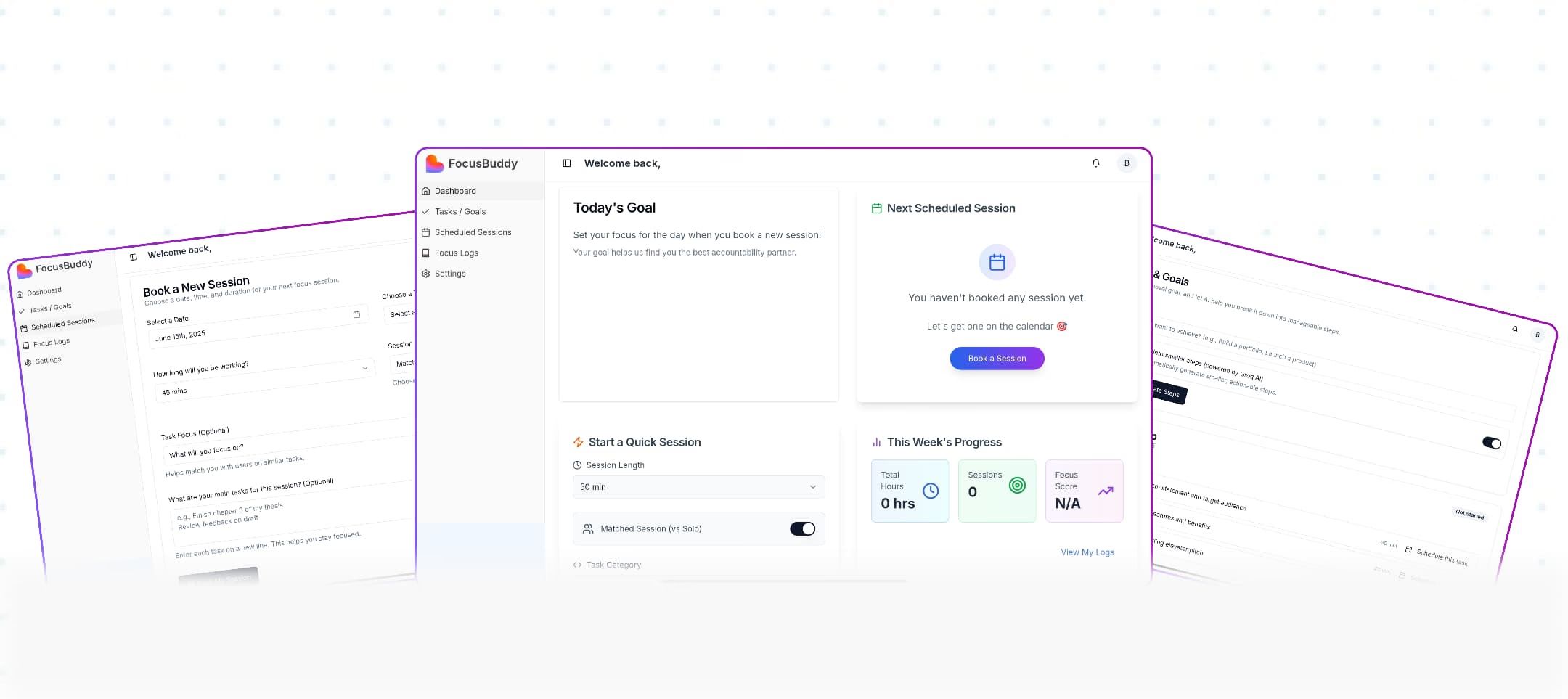
FocusBuddy — A Virtual Co-Working Space for Creatives
Role
Design Engineer
Timeline
2 Weeks
Industry
Productivity
Tools Used
Design: Figma
Development: Lovable (AI-assisted no-code platform)
Project Overview
FocusBuddy is a virtual co-working platform that pairs designers and developers into real-time focus sessions to improve productivity.
I designed and built the entire product in 2 weeks using AI-powered no-code tools, from initial research to a fully functional live MVP.
User Research
Research Methods
User Interviews
10 remote workers and freelancers
Competitive Analysis
Focusmate, Study Together, Caveday
User Surveys
25+ responses on productivity habits
Behavioral Observation
Analyzed existing co-working platforms
Key Insights
78% of remote workers reported feeling isolated during deep work
Users wanted accountability without constant interaction or pressure
Most productivity tools lacked social and motivational elements
Silent co-working (cameras optional) felt less intimidating than video calls
People preferred scheduled sessions over spontaneous matching
User Persona
Alex, 29
Freelance Designer
Works from home, struggles with procrastination and maintaining focus without the structure of an office environment.
Goals
Stay focused during deep work sessions, feel less isolated, build consistent work habits
Pain Points
Distractions at home, lack of accountability, difficulty starting tasks, inconsistent productivity
The Problem
Freelancers and remote workers struggle with isolation and lack of accountability. Most productivity apps are just solo to-do lists that fail to provide real motivation.
The Goal
Build a space where users stay focused by working alongside others, combining solo work with a "work buddy."
Design Process
01
Research
User interviews, competitive analysis, pain point mapping
02
Ideation
Feature prioritization, user flows, wireframing
03
Design
High-fidelity mockups, design system, prototyping
04
Build & Test
AI-assisted development, user testing, iteration
Design Principles
Simplicity First
Minimal steps from login to active session
Low Pressure
Optional video, no forced interaction
Trust & Safety
User verification and rating systems
Flexibility
Solo or paired sessions, various durations
Iterations Made
Simplified onboarding from 5 steps to 2
Added AI coach feature based on user requests
Introduced solo sessions for flexibility
Redesigned dashboard for quicker access to actions
Key Challenges
01. Building Trust
Users needed to feel safe working silently with random people online.
Solution
Added verification, ratings, and optional camera-off modes.
02. No-Show Prevention
Concept struggled with users booking and not showing up.
Solution
Implemented waitlists and a 'commitment score' system.
03. Speed to Market
Needed to validate the concept within a 2-week window.
Solution
Used Lovable to build and deploy a functional MVP in record time.
Information Architecture
User Flow
1
Sign Up
Quick auth via email/Google
2
Onboarding
Set preferences & goals
3
Dashboard
View schedule & stats
4
Book/Start
Choose session type
5
Focus
Work with accountability
Core Features
Session Booking & Matching
Real-Time Focus Sessions
Task & Goal Management
Progress Tracking & Analytics
AI Productivity Coach
Community & Leaderboards
Customizable Settings
Navigation Structure
Primary Navigation
→ Dashboard
→ Sessions
→ Tasks
→ Progress
→ AI Coach
→ Settings
Quick Actions
→ Start Solo Session
→ Book Partner Session
→ Add Task
The Experience
The platform includes a dashboard, session booking, task management, AI coaching, live sessions, progress tracking, and settings. Every screen was designed for speed and simplicity. Users should be in a work session within 60 seconds.
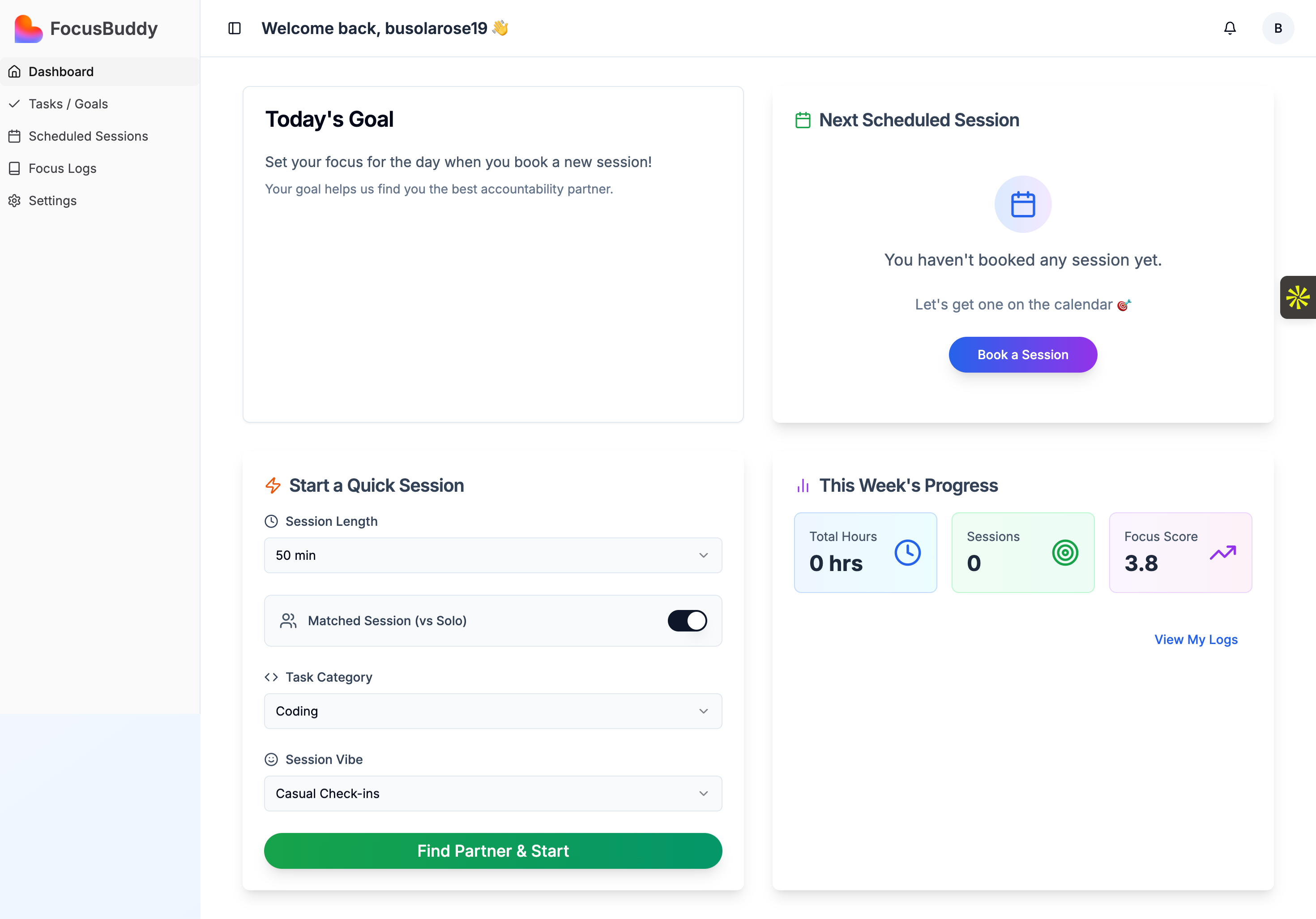
Dashboard
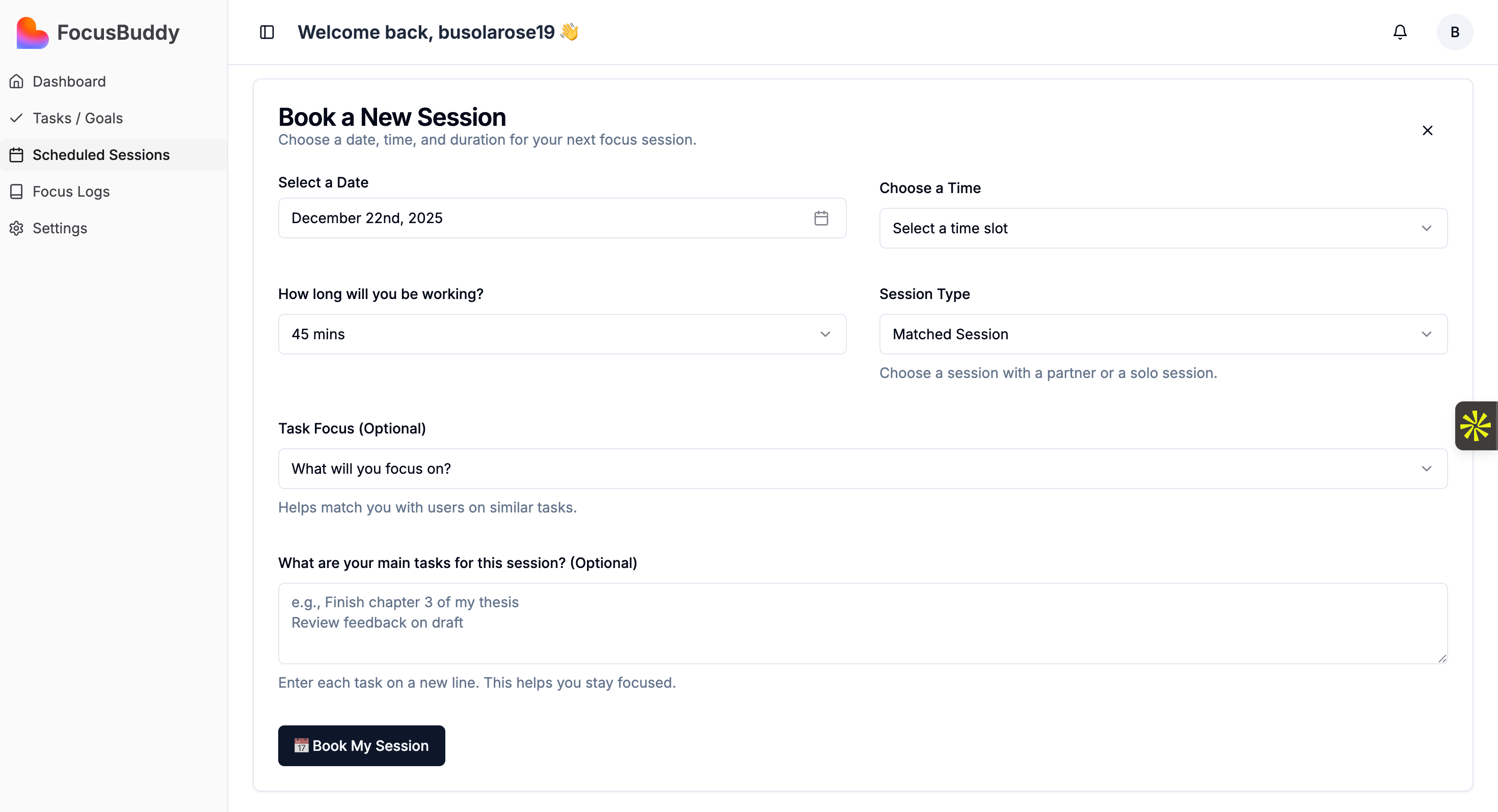
Book Session
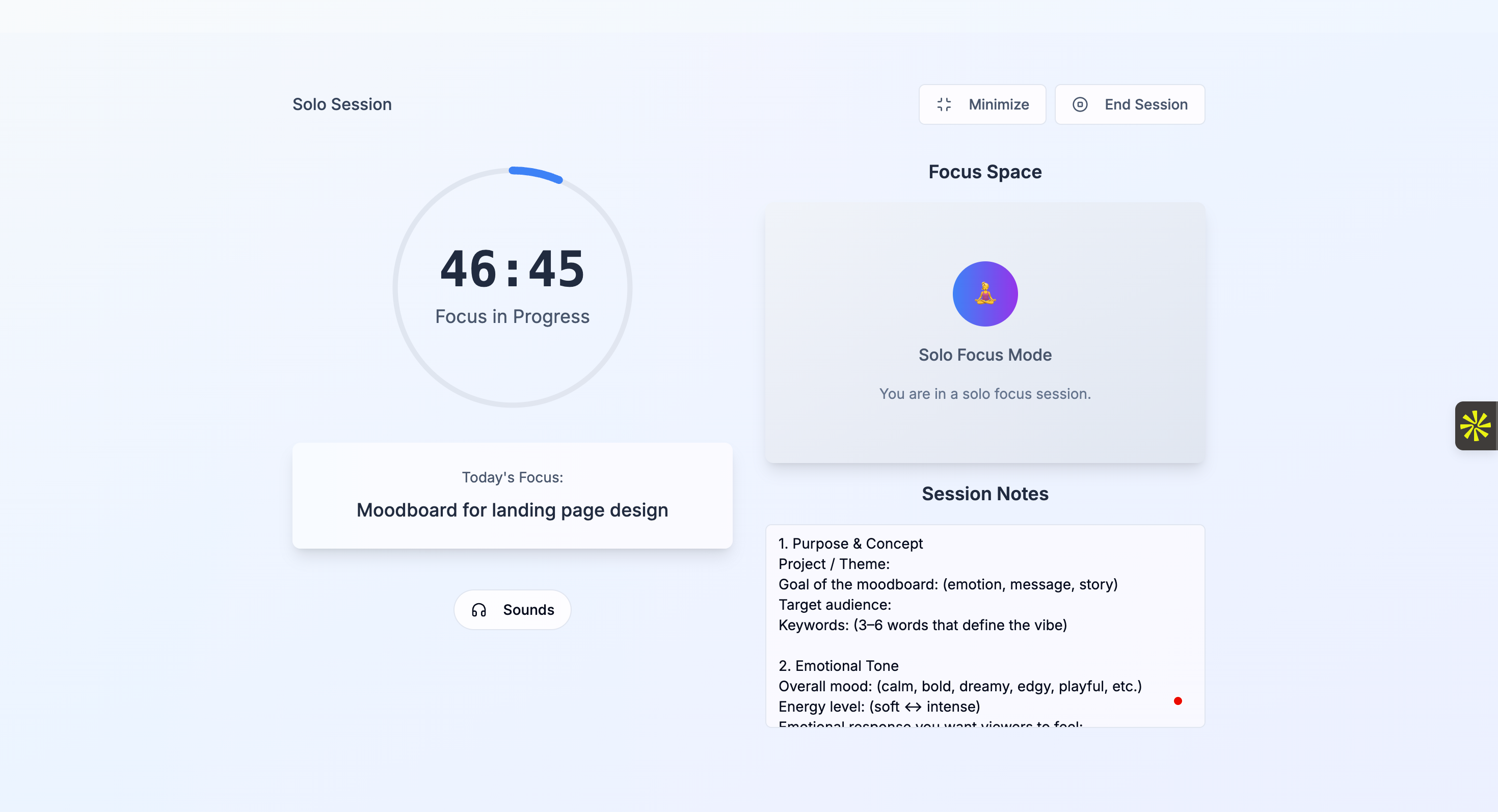
Solo Session
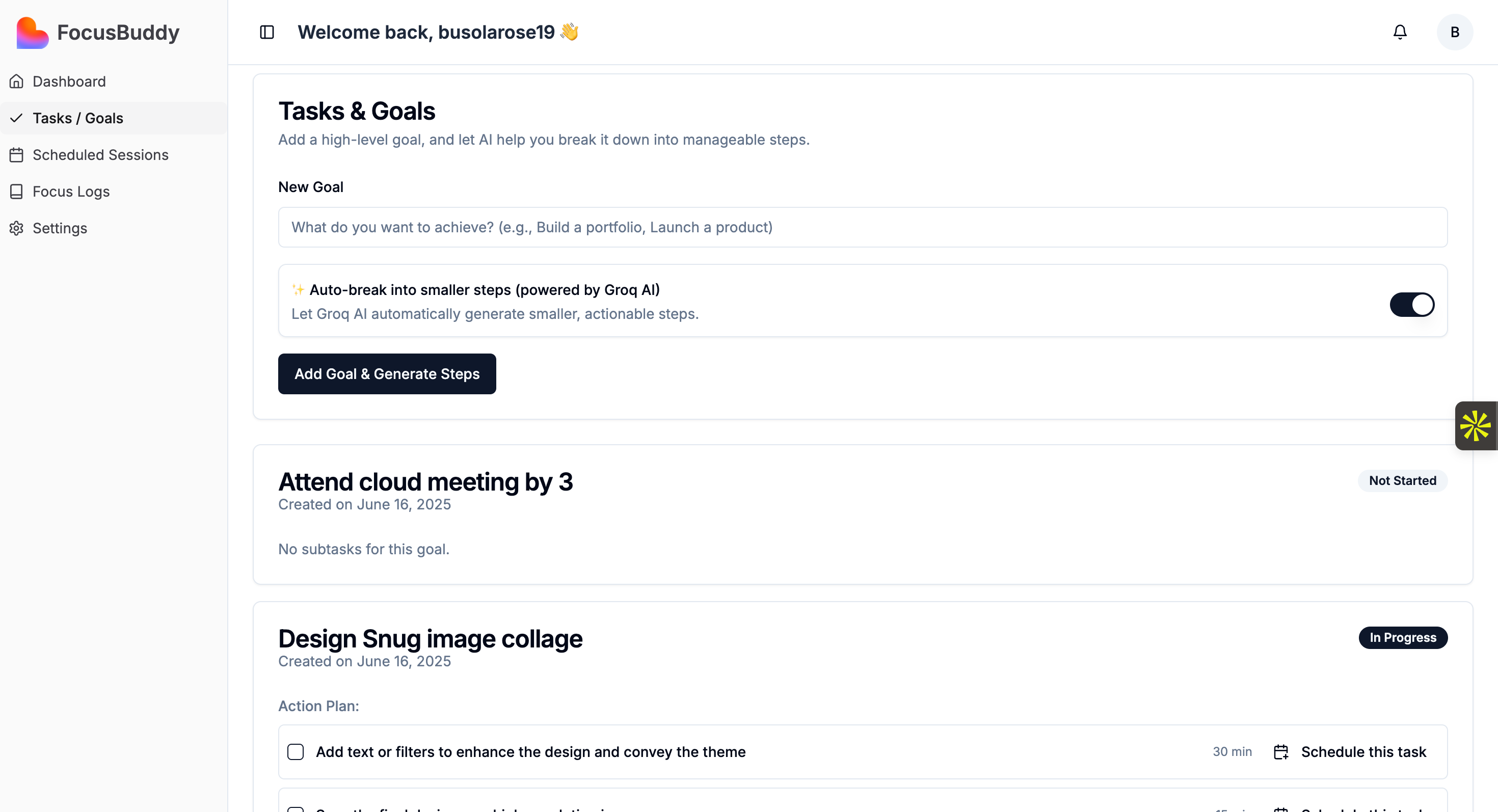
Task Management
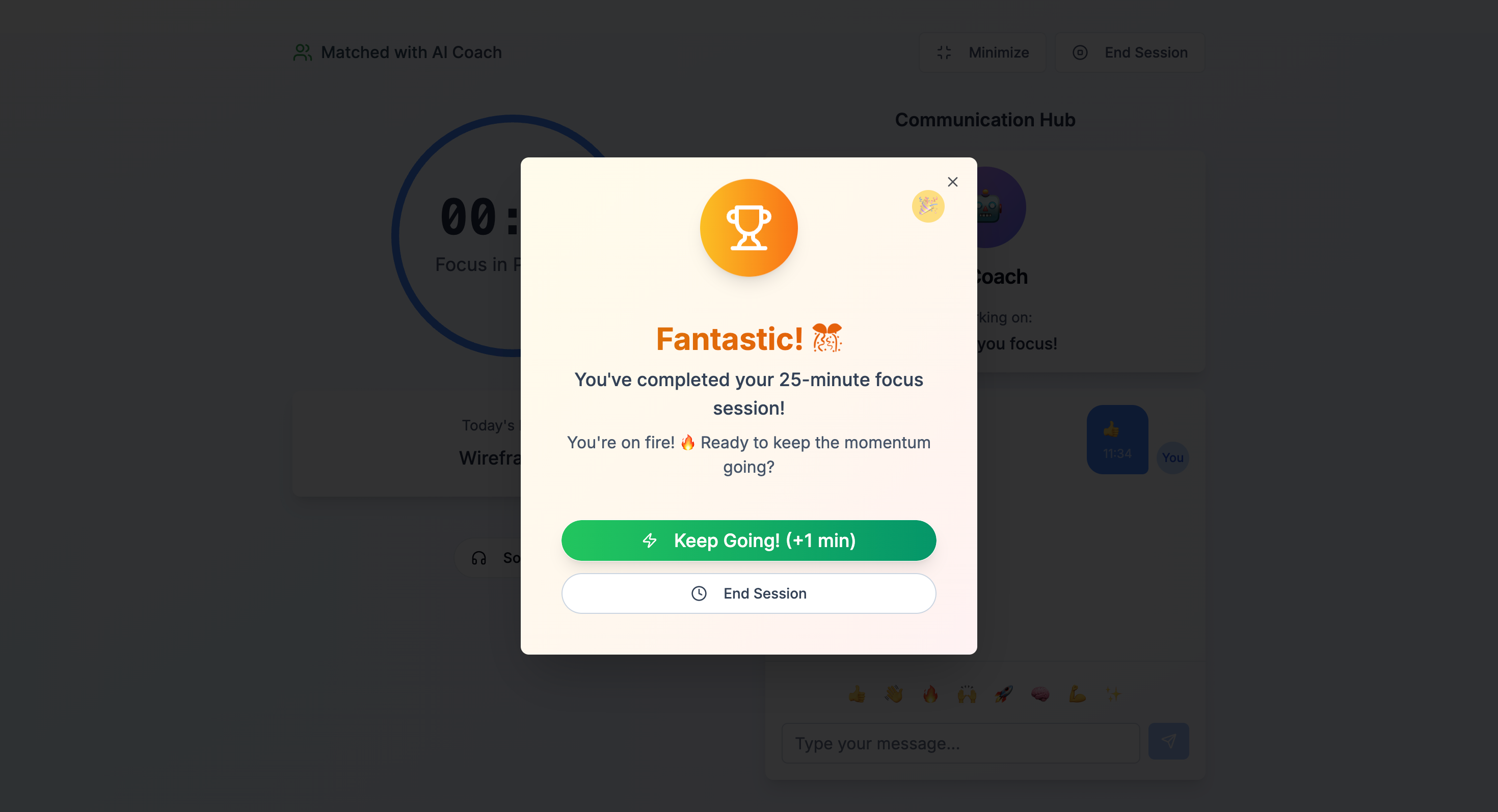
Session Complete
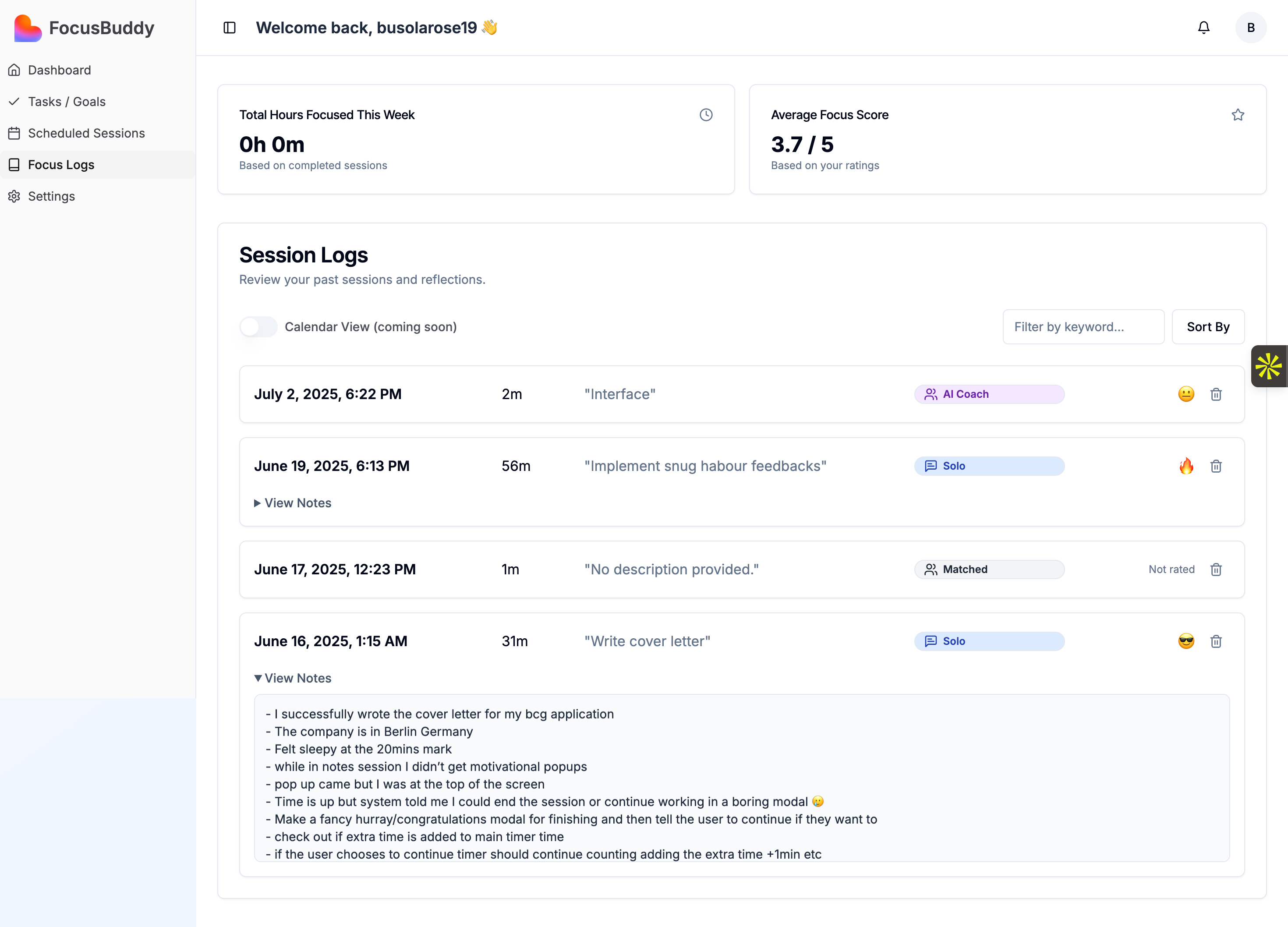
Focus Logs
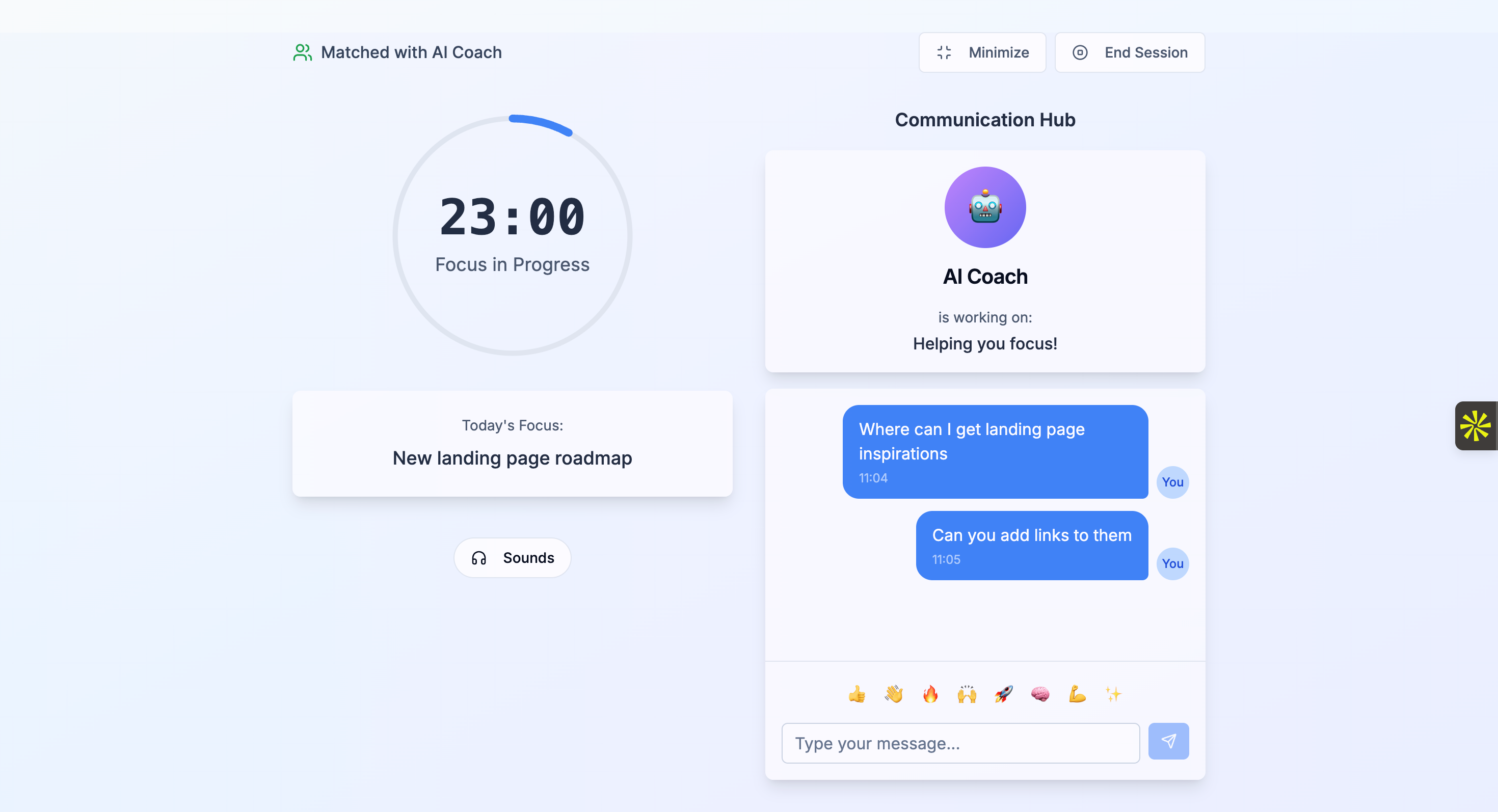
AI Coach
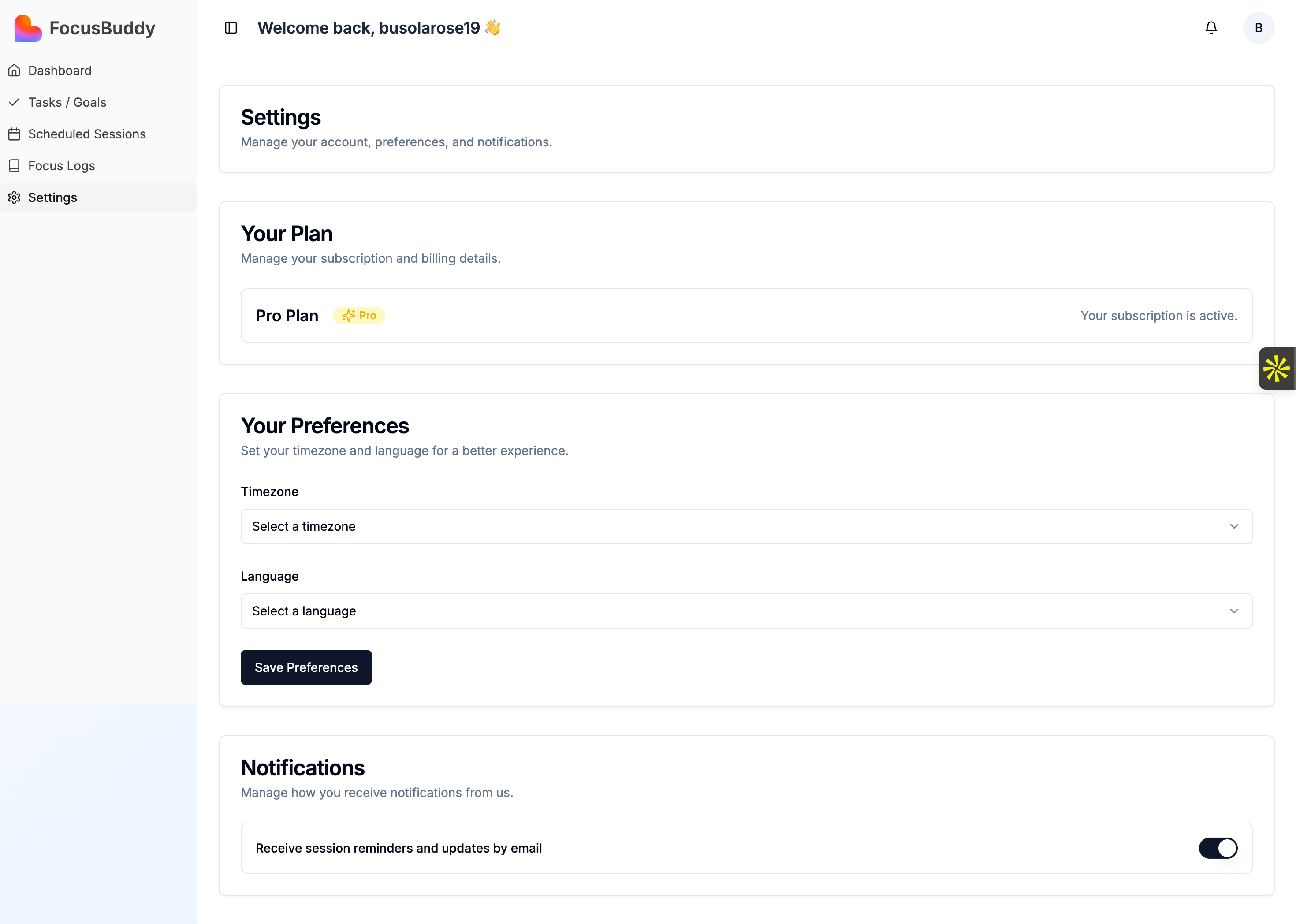
Settings
Technical Implementation
Tech Stack
Platform
Lovable (AI-assisted development)
Frontend
React, TypeScript, Tailwind CSS
Backend
Supabase (Database, Auth, Realtime)
AI Features
OpenAI API for coaching
Video/Audio
WebRTC for live sessions
Deployment
Vercel
Key Features Built
Real-time session matching algorithm
WebRTC integration for video/audio
Supabase realtime for live updates
User authentication & profiles
Task management system
Progress tracking & analytics
AI-powered productivity coach
Notification system
Development Highlights
AI-Assisted Speed
Leveraged Lovable to build and iterate rapidly, reducing development time by 70%
Real-Time Sync
Implemented Supabase realtime for instant session updates and user matching
Scalable Architecture
Built modular components for easy feature additions and maintenance
Key Learnings
01
Speed Doesn't Mean Compromise
Using AI-assisted tools like Lovable proved that you can build quickly without sacrificing quality. The key is clear design vision upfront.
02
Users Value Simplicity
Early versions had too many features. Users responded better to a streamlined experience with just the essentials for getting into a focus session fast.
03
Trust Is Critical
For a platform pairing strangers, building trust mechanisms (verification, ratings, camera-off options) was essential from day one.
04
Iteration Over Perfection
Launching an MVP and gathering real user feedback was far more valuable than spending weeks perfecting features users might not need.
05
Community Matters
The most engaged users wanted to feel part of a community, not just use a tool. Adding social elements increased retention significantly.
Impact
2 Weeks
Concept to MVP
40+
Waitlist signups
3-5/wk
Active Sessions
< 60s
Onboarding time
100%+
Tester feedback
Low
Bounce rate
Final UI Preview
Watch the complete platform in action, live focus sessions, task tracking, and progress logs.
Interested in working together?
Let's discuss how I can help bring your next project to life with thoughtful design and strategic thinking.
Start a Conversation