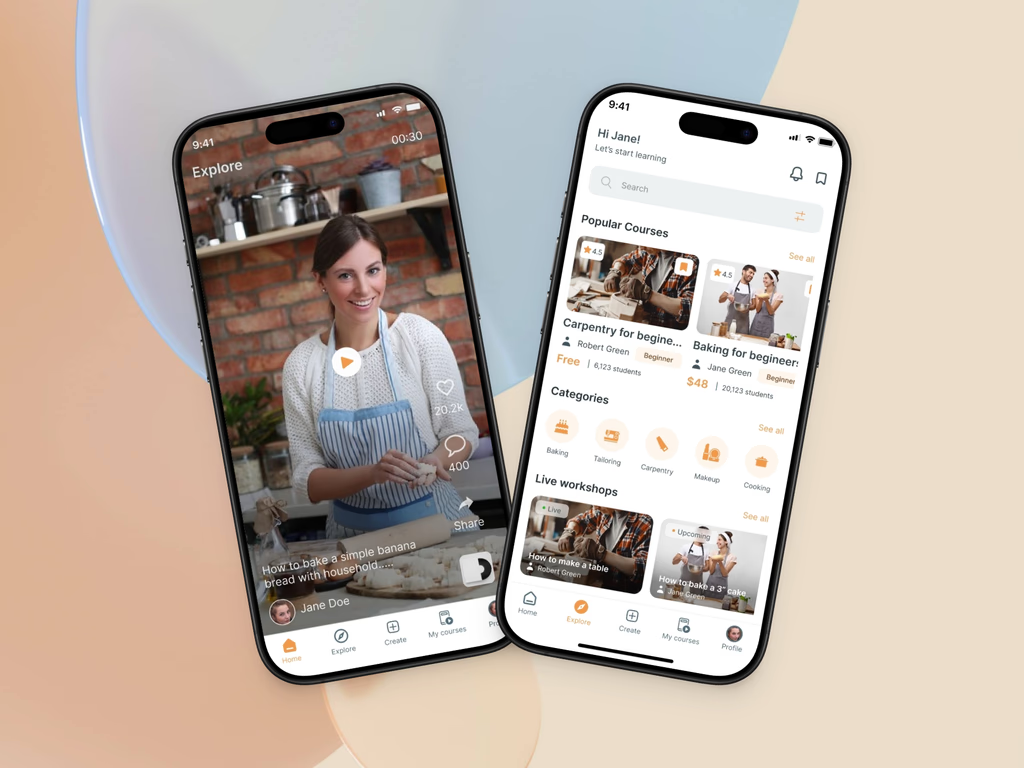
MasterCraft — A Social-Learning Platform to Help Unemployed People Gain Vocational Skills
Role
Product Designer
Duration
1 Month
Industry
EdTech / Social
Tools
Figma
Miro
Project Overview
MasterCraft is a mobile-first social learning platform that helps unemployed individuals in Africa gain vocational skills through bite-sized lessons.
I designed the complete UX for 32 mobile screens, covering onboarding, gamification, and community features, validated through user testing.
The Problem
Youth unemployment in Africa is high, yet engagement on social apps is massive. Traditional e-learning feels like a chore, leading to low completion rates.
The Insight
What if we redirected social media engagement energy toward learning marketable skills?
The Challenge
Traditional online learning platforms struggle with engagement because they feel disconnected from how youth naturally consume content. The challenge was to create a platform that combines social media mechanics with educational value while maintaining focus and progression.
Design for addiction within a learning context—create compelling engagement without compromising educational outcomes
Balance community features with individual skill progression to prevent social burnout
Maintain user agency while guiding them toward completion of skills certifications
My Role
Product Designer
Full user research (interviews & surveys)
Competitive analysis
Information architecture
UX/UI design for 32 mobile screens
Design system creation
Prototyping & user testing
Key Contribution
Designed a cohesive product experience that bridges social engagement mechanics with structured learning outcomes, resulting in validated prototype ready for development.
The Solution
MasterCraft reframes learning through familiar social patterns while introducing structure. The core solution combines three key elements to drive engagement and completion.
Infinite scroll meet learning
Users discover micro-lessons in a TikTok-style feed, but lessons are organized into structured tracks that lead to certifications.
Gamification with purpose
Badges, points, and leaderboards are tied to real skill progression. Social achievements motivate individual advancement.
Community-driven accountability
Users share their learning journeys, creating peer accountability and building a supportive community around skill development.
Core Features
- ✓Social feed with AI-recommended lessons
- ✓Skill-based learning tracks
- ✓Progress tracking & certification
- ✓Community features & leaderboards
- ✓AR learning capabilities
- ✓Offline lesson access
Design Principles
Instant Gratification
Every action triggers immediate visual feedback and rewards.
Zero Friction
Users reach a lesson within 30 seconds of opening the app.
Social Proof
Peer achievements are highlighted to drive collective success.
Visible Progress
Progress bars and badges are visible on every screen.
Key Screens
I designed 32 mobile screens covering the complete user journey, from onboarding and skill discovery to active learning, community engagement, and progress tracking. Every screen was optimised for mobile-first usage with simple navigation and motivational elements.
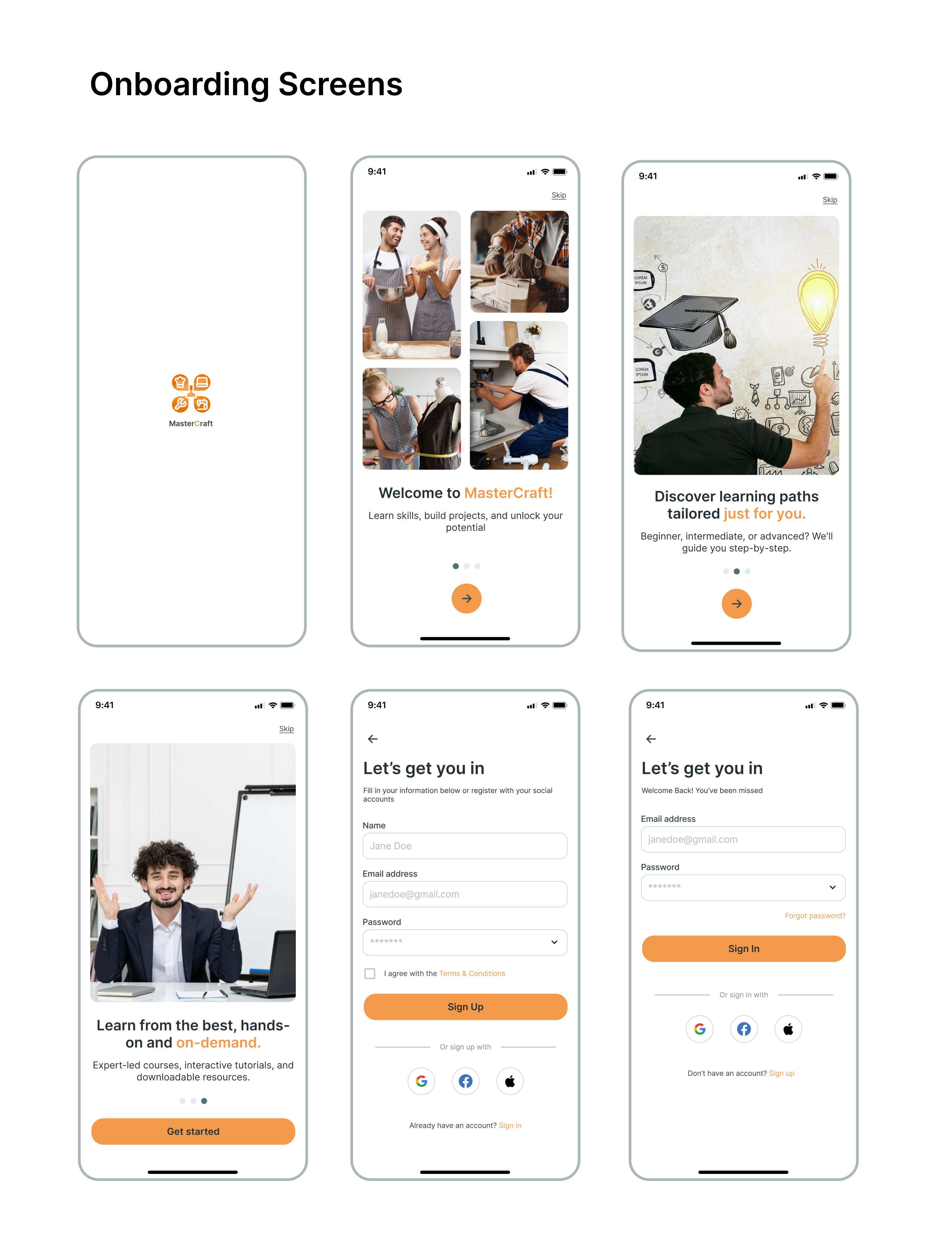
Onboarding Screens
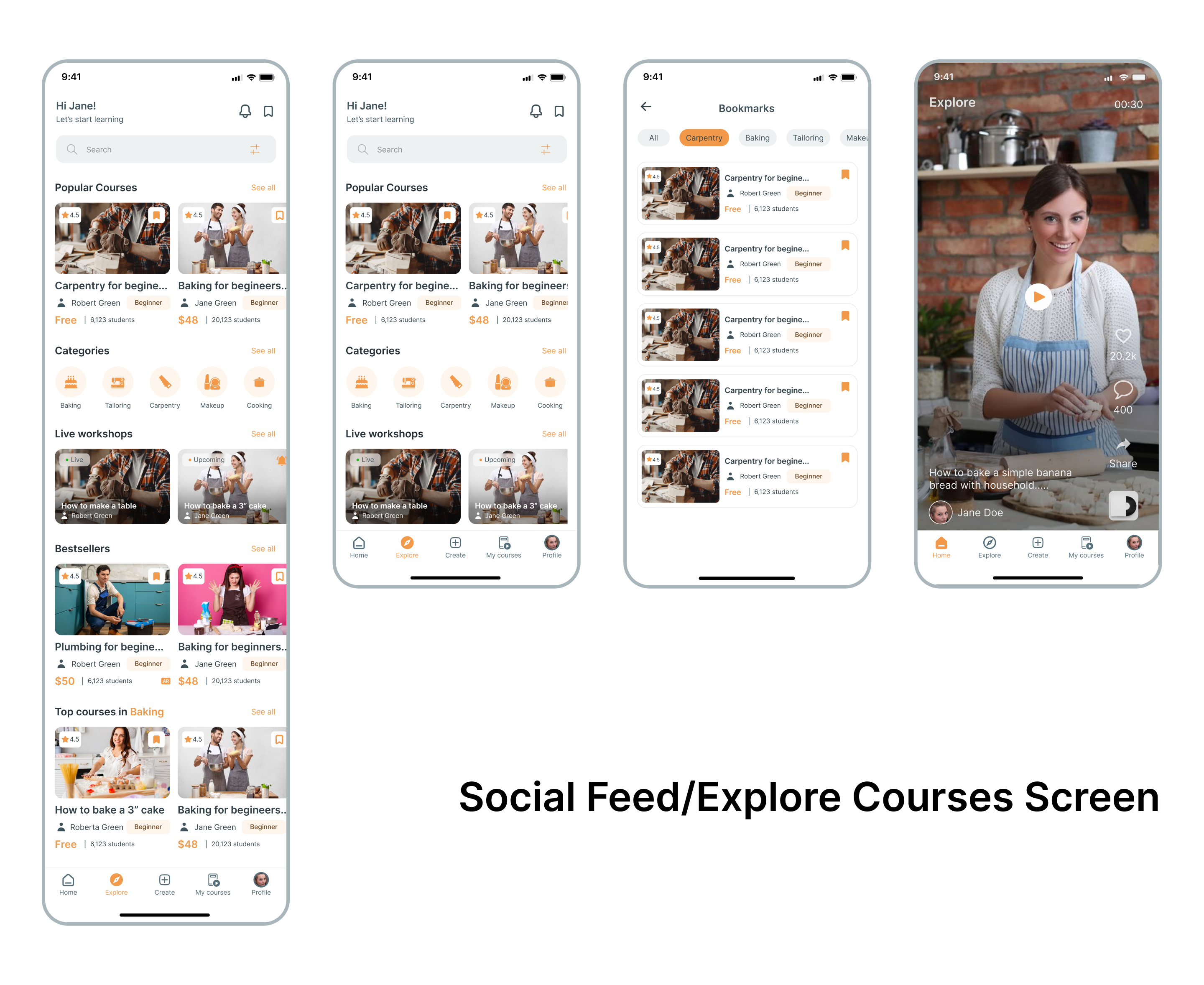
Social Feed and Explore Courses
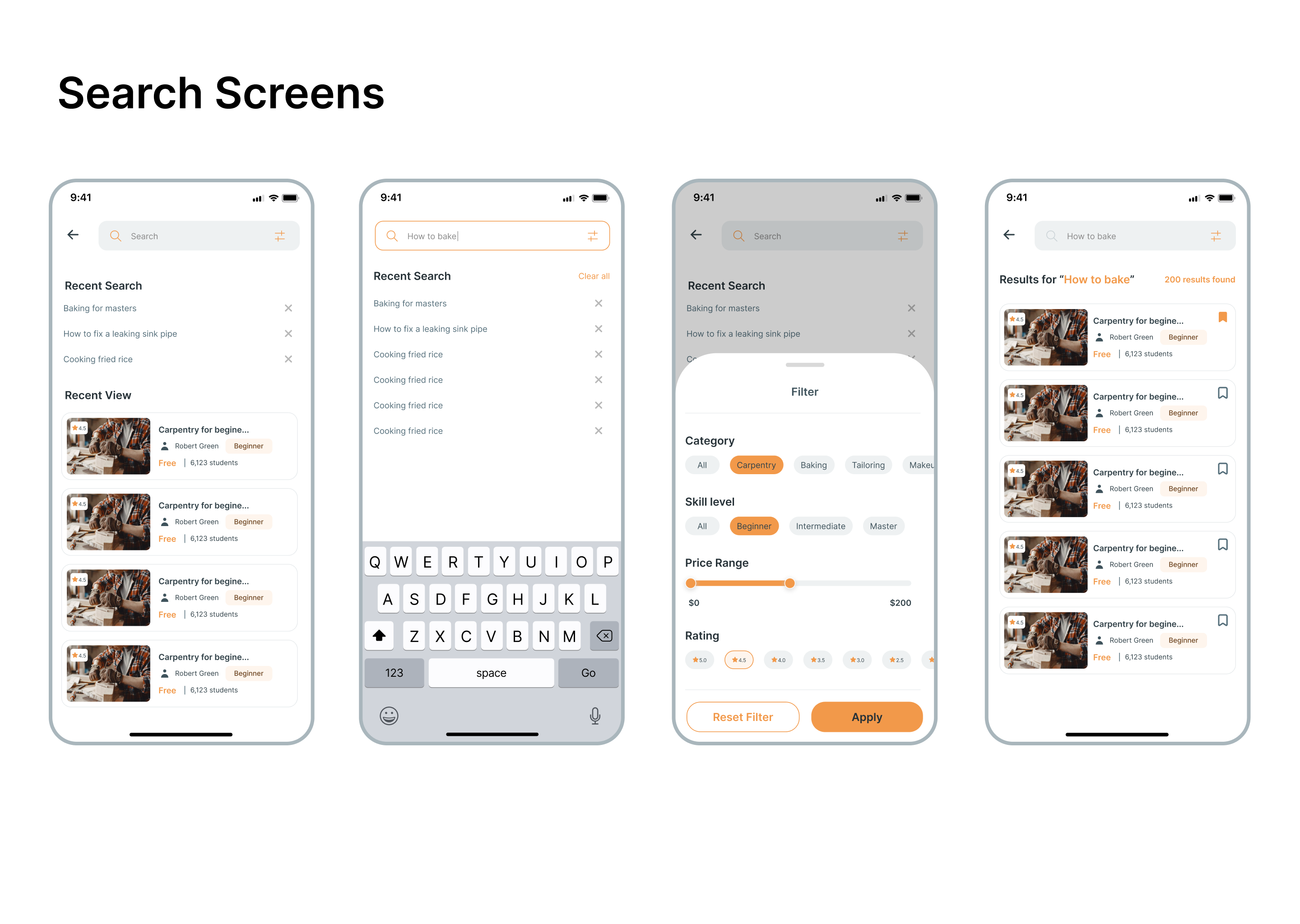
Search Screens
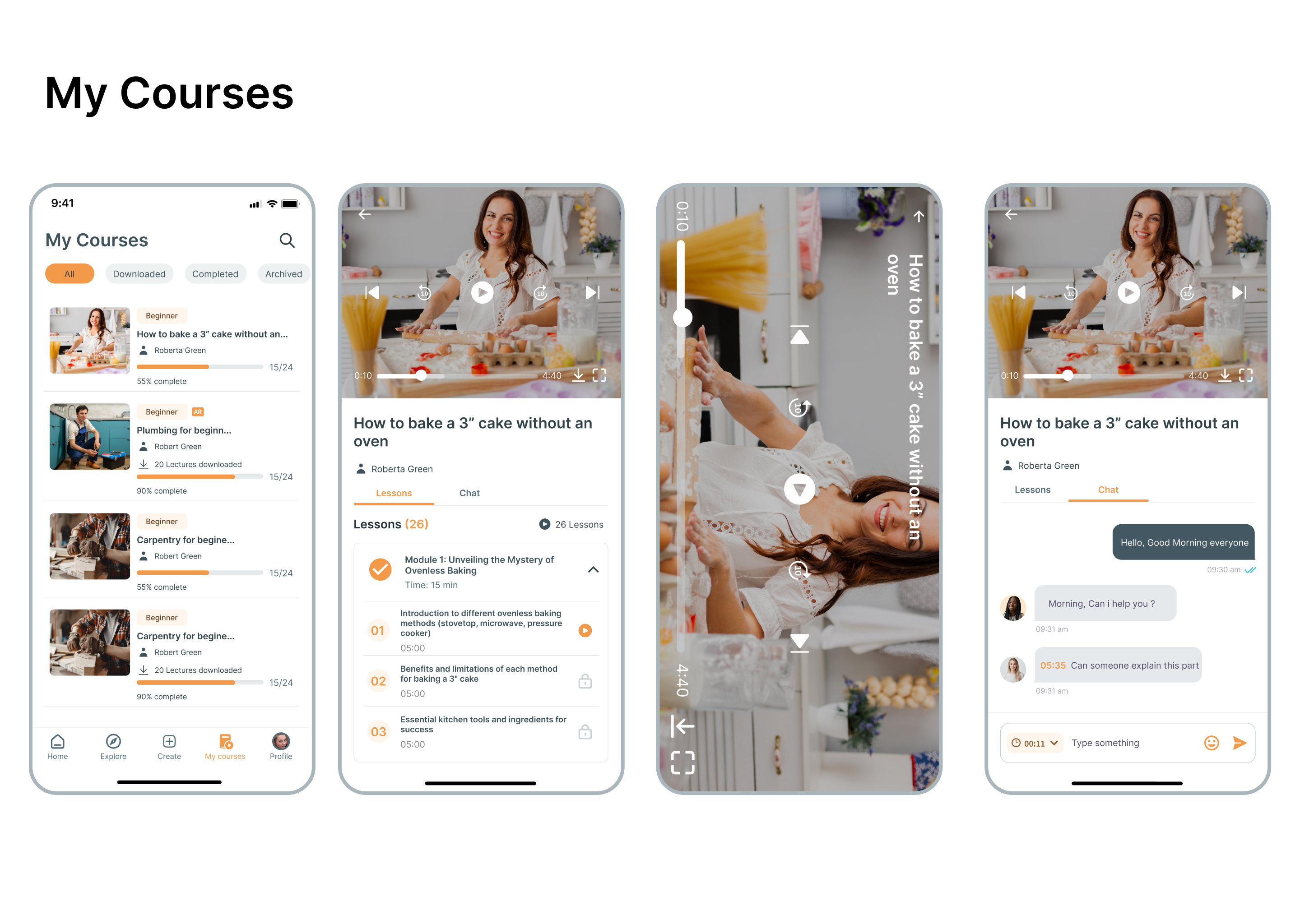
My Courses
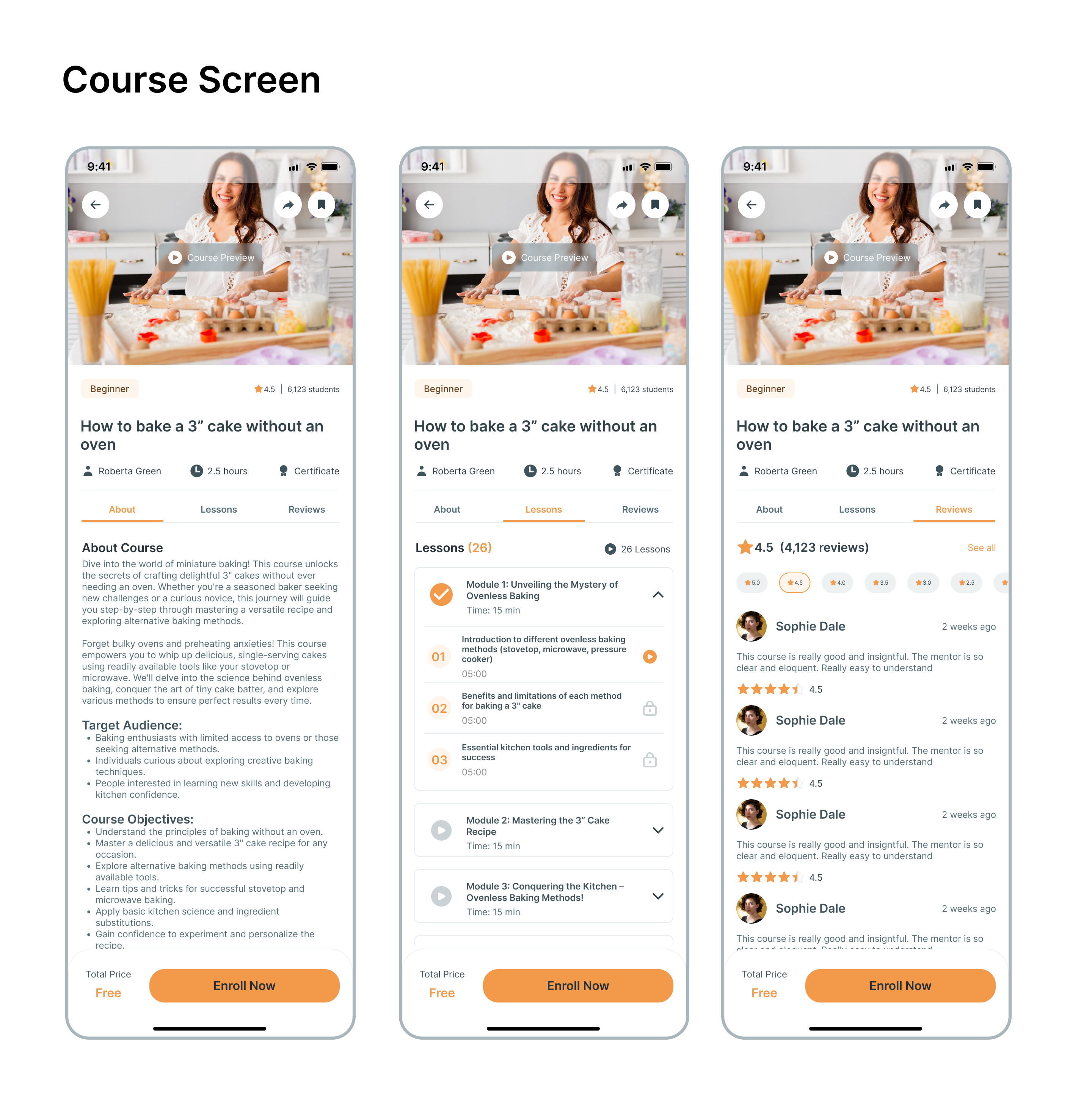
Course Screen
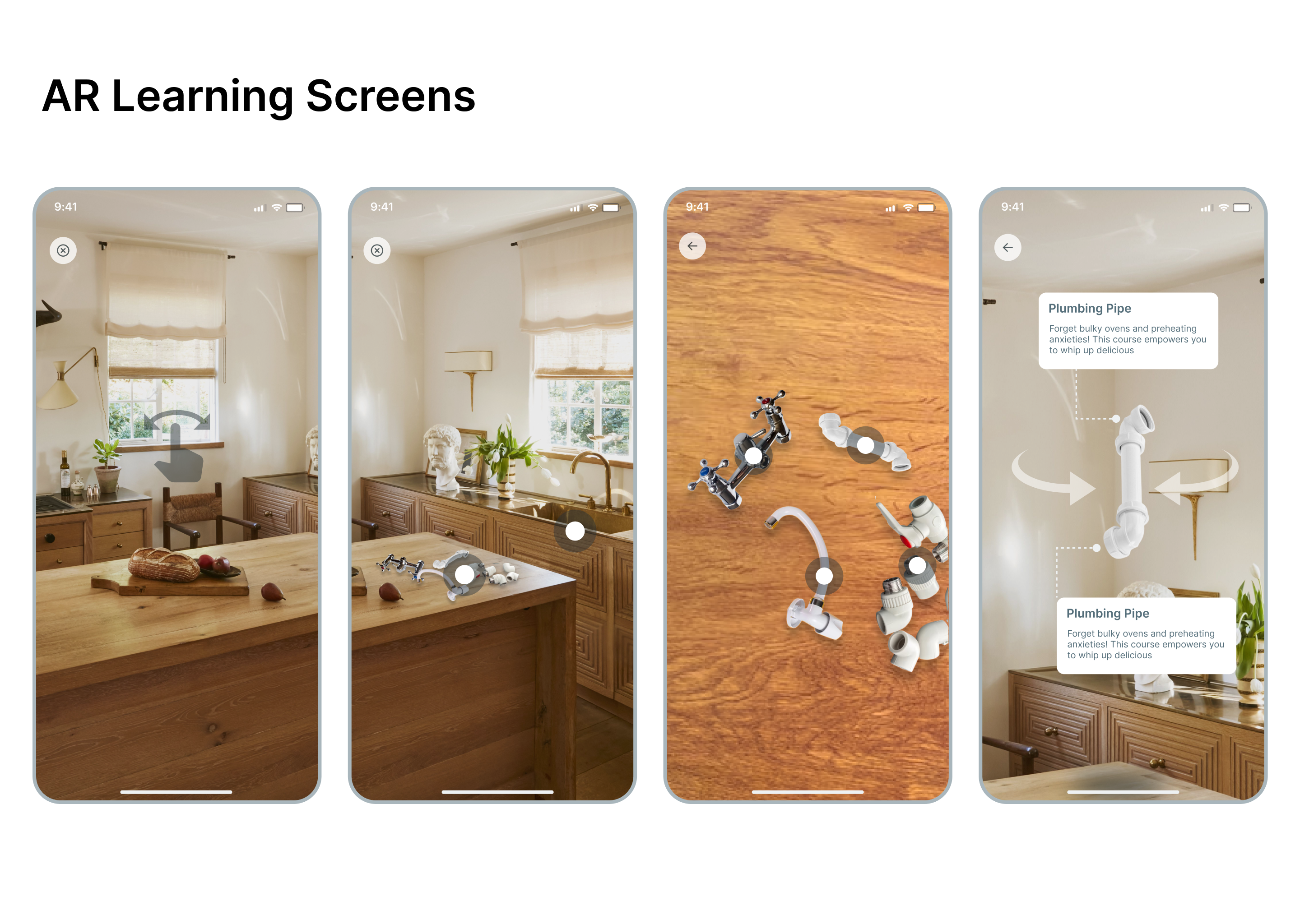
AR Learning Screens
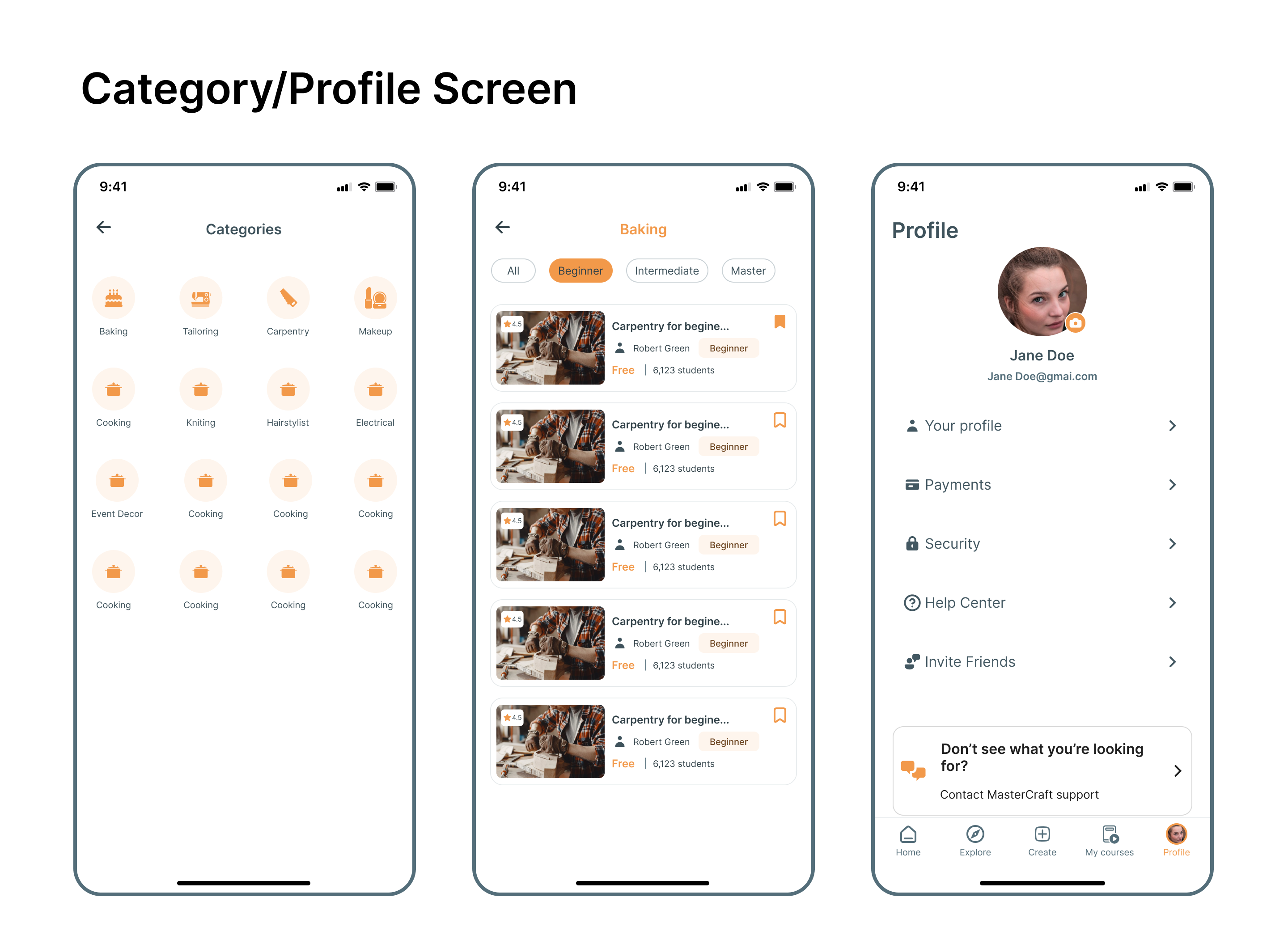
Category and Profile Screen
Key Improvements
Designed UI-native mobile screens
Moved away from generic templates to build a custom design system that feels native and premium, increasing perceived value.
Made learning invaluable
Positioned lessons around real job market skills, making the learning outcomes tangible and immediately applicable.
Designed for community learning
Added peer recognition features and group learning tracks to leverage social motivation as a retention tool.
Final UI Preview
Watch the complete interactive prototype, onboarding, skill discovery, video lessons, gamification features, community engagement, and progress tracking across all 32 screens.
Outcomes & Impact
32
Mobile screens designed
15m+
Avg exploring time
95%
Usability score
3-5
Lessons/session
100%
Design validated
Yes
Handoff ready
Next Steps
MVP Development (3 months)
Engineer core features: authentication, lesson feed, progress tracking, and gamification systems
Second Investor Onboarding (2 months)
Refine monetization strategy and prepare for Series A funding based on initial user metrics
Beta Testing (1 month)
Launch with 1,000 users across Lagos to validate assumptions and gather qualitative feedback
Scale & Monetization (Ongoing)
Expand to other African cities, integrate corporate partnerships, and introduce premium features
Interested in working together?
Let's discuss how I can help bring your next project to life with thoughtful design and strategic thinking.
Start a Conversation